Eclipse ThreadX GUIX
v6.4.3.202503_relFeatures
-
Small memory footprint and high-speed execution optimized for resource-constrained microcontrollers.
-
Seamless integration with GUIX Studio for visual UI design and automatic C code generation.
-
Support for professional-quality graphical assets including anti-aliased fonts and high-color depth images.
-
Event-driven programming model for efficient handling of user input and system events.
-
Highly portable architecture with dedicated ports for various CPU architectures and compilers.
-
Composable CMake-based build system supporting Ninja and Arm GNU Toolchain.
-
Support for multiple display layers and canvas-based drawing operations.
-
Advanced font rendering engine supporting various font formats and international languages.
-
Integration with semiconductor SDKs from NXP, Renesas, and Microchip.
-
Support for ARM Cortex-M4 and Cortex-M23 architectures with specific hardware optimizations.
-
Customizable features via user-defined configuration headers for fine-grained control over library size.
-
Comprehensive set of built-in widgets including buttons, sliders, lists, and multi-line text windows.
-
Support for runtime theme switching and dynamic asset management.
-
Built-in support for smooth screen transitions and complex animation effects.
-
Direct integration with ThreadX RTOS for thread-safe UI operations and synchronized event processing.
Architecture
Eclipse ThreadX GUIX is designed with a layered architecture that prioritizes performance and portability. At its core, the library consists of a hardware-independent engine that manages widget hierarchies, event distribution, and drawing logic. This core interacts with hardware-specific display drivers through a well-defined abstract interface, allowing GUIX to be ported to virtually any display controller or MCU architecture. The architecture is strictly event-driven, utilizing a central event queue to process input from touchscreens, keypads, or system-level notifications.
Core Components
- Widget Library: A rich set of pre-built graphical elements (buttons, windows, progress bars) that are fully customizable.
- Drawing Engine: A low-level rendering layer that handles lines, circles, bitmaps, and text rendering with support for anti-aliasing.
- Event Manager: Manages the flow of system and user events, ensuring thread-safe interaction with the underlying ThreadX RTOS.
- GUIX Studio Integration: A companion desktop tool that generates C source code from visual designs, bridging the gap between UI design and embedded implementation.
Use Cases
This library is ideal for:
- Industrial HMI: Developing robust control panels for factory automation and machinery with complex data visualization.
- Medical Devices: Creating high-reliability user interfaces for patient monitors and diagnostic equipment requiring safety-critical certifications.
- Consumer Electronics: Building responsive UIs for smart home appliances, thermostats, and wearable devices with limited memory.
- Automotive Dashboards: Implementing digital instrument clusters and infotainment systems that require fast boot times and smooth animations.
- IoT Edge Devices: Providing local interaction capabilities for sensors and gateways where power consumption and footprint are critical.
Getting Started
To begin developing with GUIX, it is recommended to first install GUIX Studio, the visual design environment available via the Microsoft/Eclipse installer. The library itself is typically integrated into a project as a static library using the provided CMake build system. Developers should define their specific feature requirements in a gx_user.h header file, which allows for stripping unused components to minimize the binary size.
Key documentation and samples can be found in the common, samples, and tutorials directories of the repository. For hardware-specific implementations, refer to the ports directory, which contains the necessary glue code for various architectures and compilers. Detailed high-level overviews and API references are maintained in the official Eclipse ThreadX documentation.
Related Projects (3)
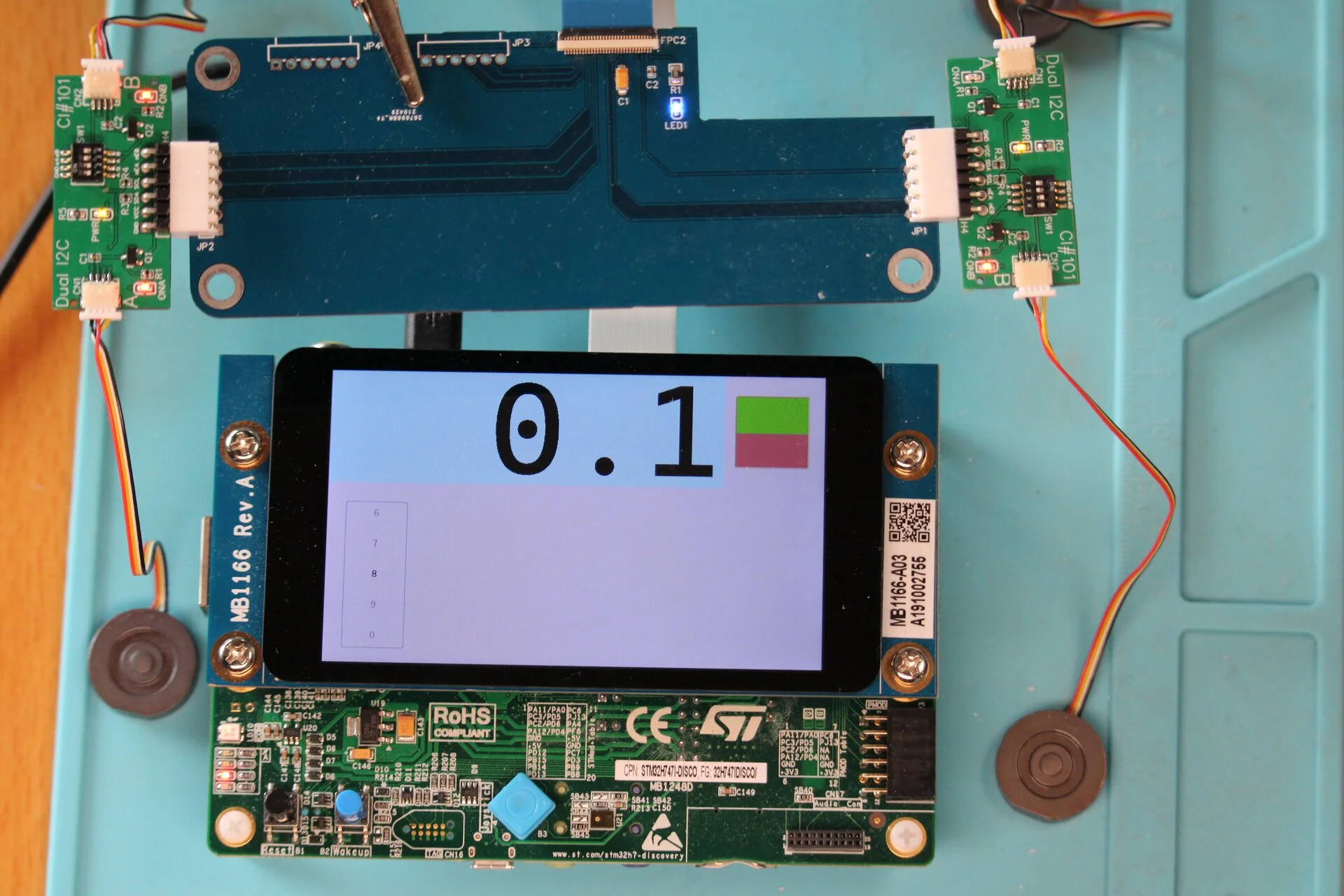
AzureRTOS Dual-Core Implementation for STM32H747
A dual-core embedded application for the STM32H747I-DISCO board utilizing AzureRTOS (ThreadX) and GUIX. It demonstrates a distributed architecture where the Cortex-M4 manages I2C sensor data and peripherals while the Cortex-M7 handles the graphical user interface and display logic.
H747-Camera: Dual-Core STM32H747 Camera and Display System
A dual-core embedded project for the STM32H747 microcontroller utilizing AzureRTOS (ThreadX). It integrates camera input via DCMI, display output via LTDC/DSI using GUIX, and USB mass storage support through USBX and FileX.
H747 Weighing Station
A dual-core weighing station application for the STM32H747 Discovery board using AzureRTOS ThreadX. It features a GUIX-based touchscreen interface on the Cortex-M7 core and sensor data acquisition via I2C on the Cortex-M4 core, utilizing shared memory for inter-core communication.